Group Chat info
iPhone group chat how-to:
Add everyone’s phone number to one text chain
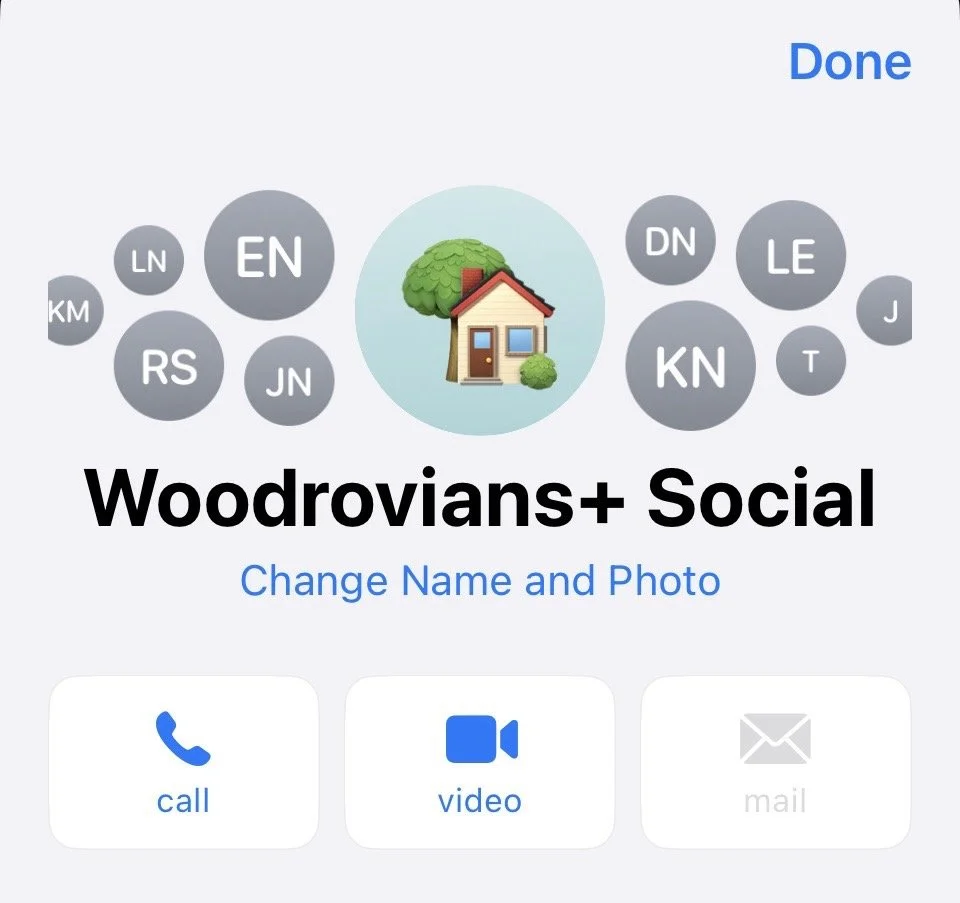
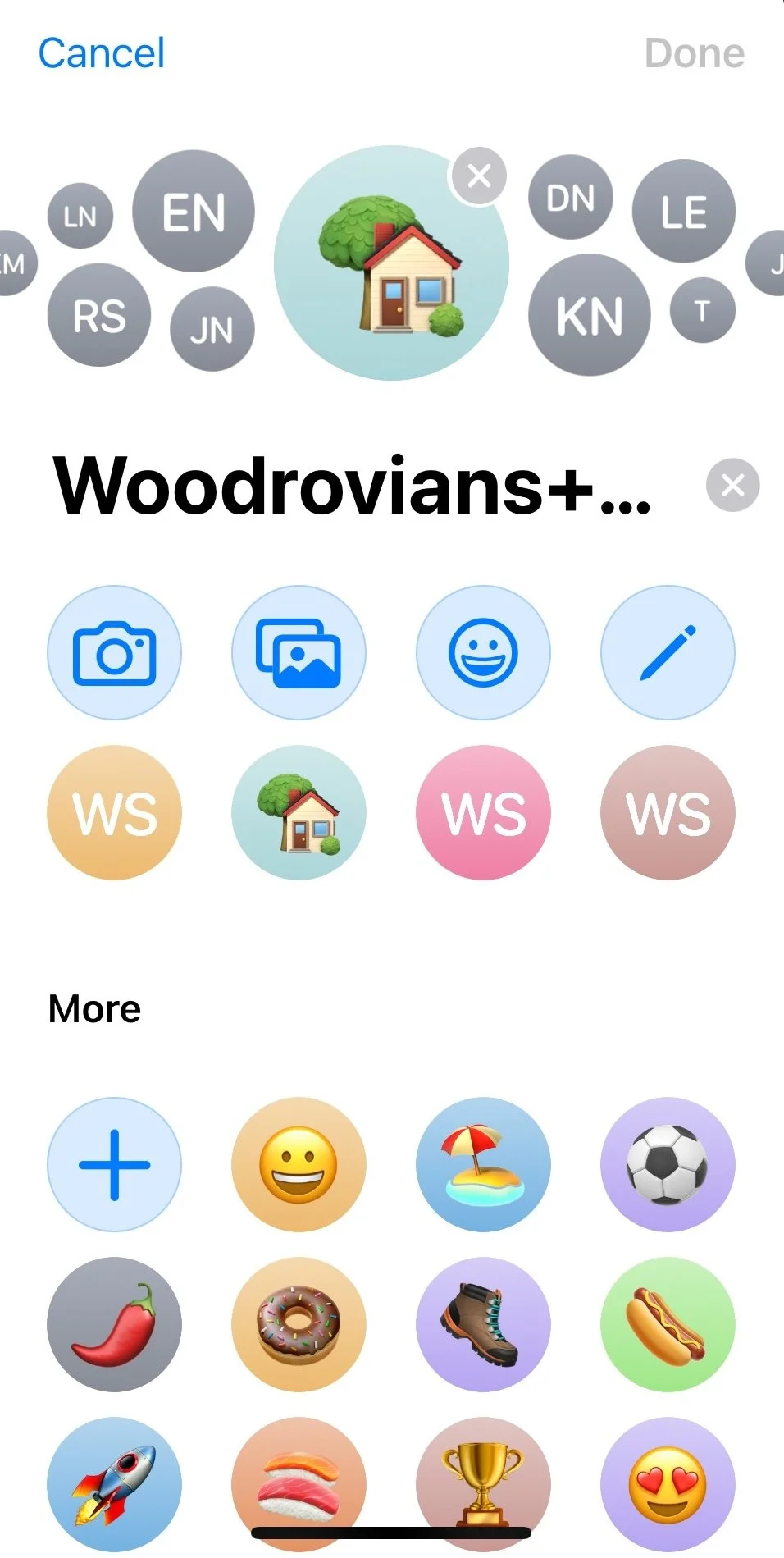
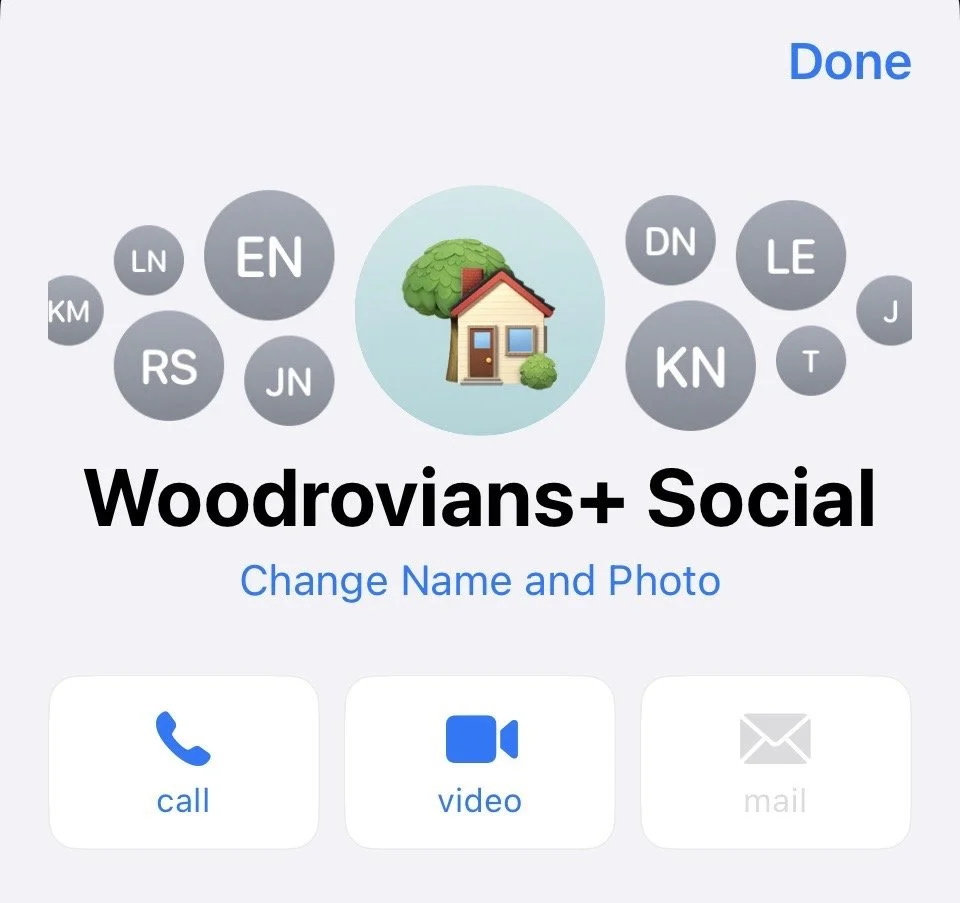
Name the chat — Add a cute icon
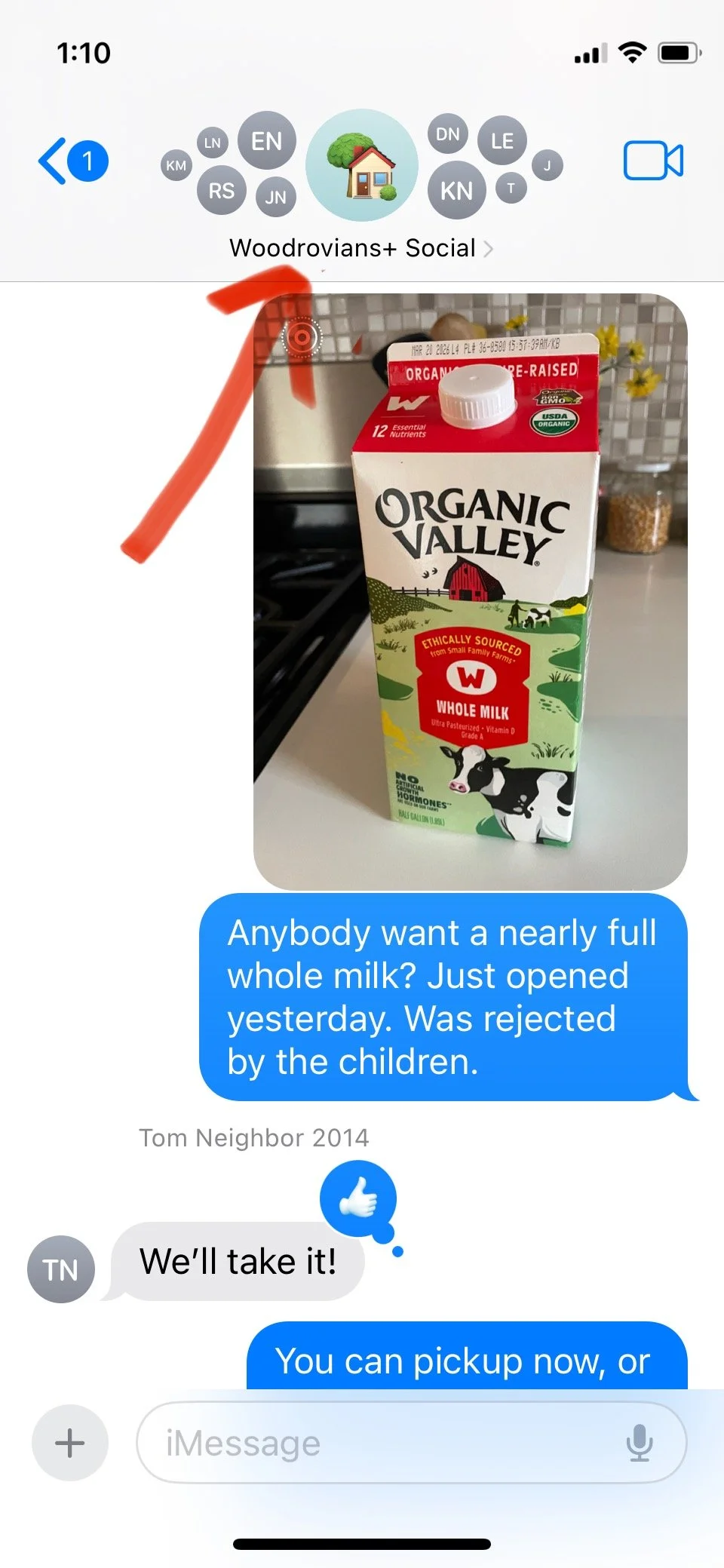
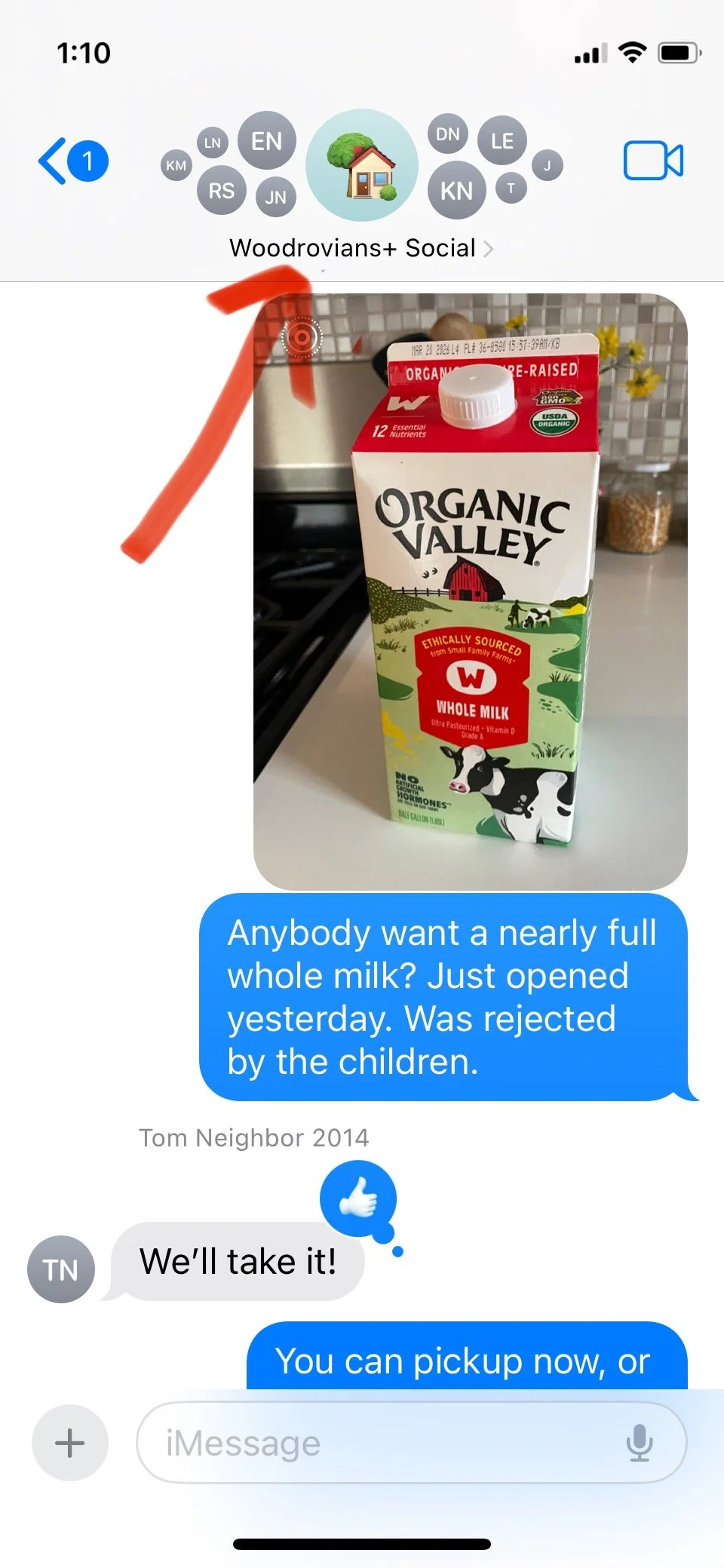
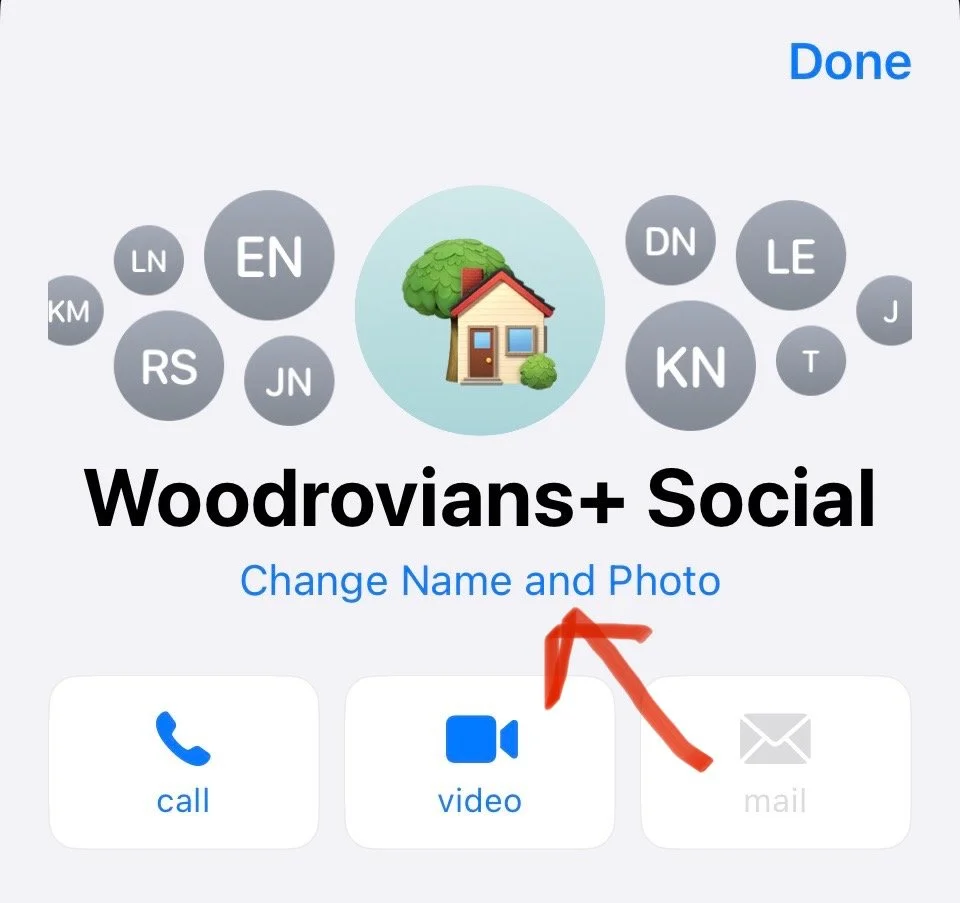
Click the top of the text chain, then click “change name and photo.” Now you can edit the name, and can pick an emoji for the chat.
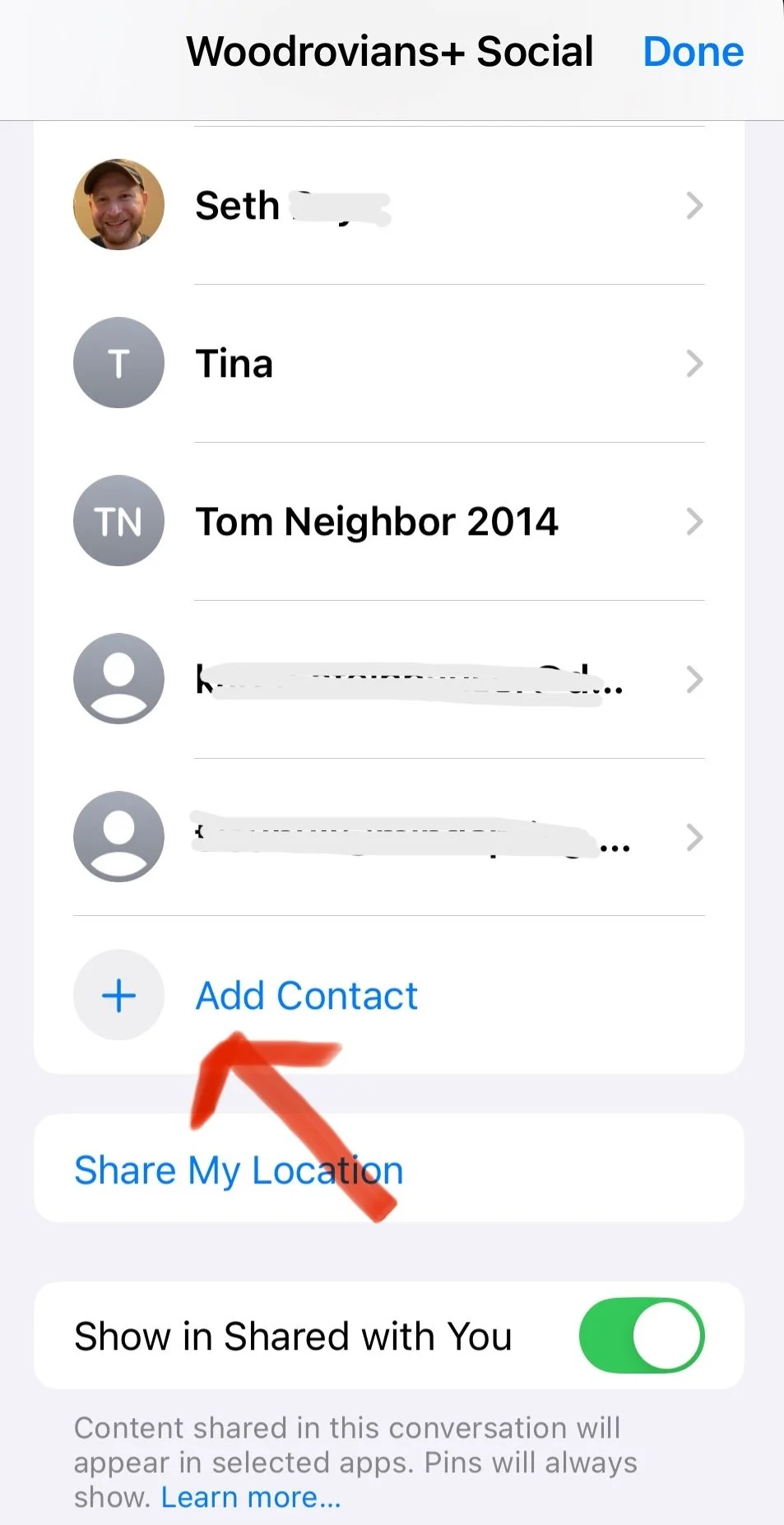
How to add people to the text chain
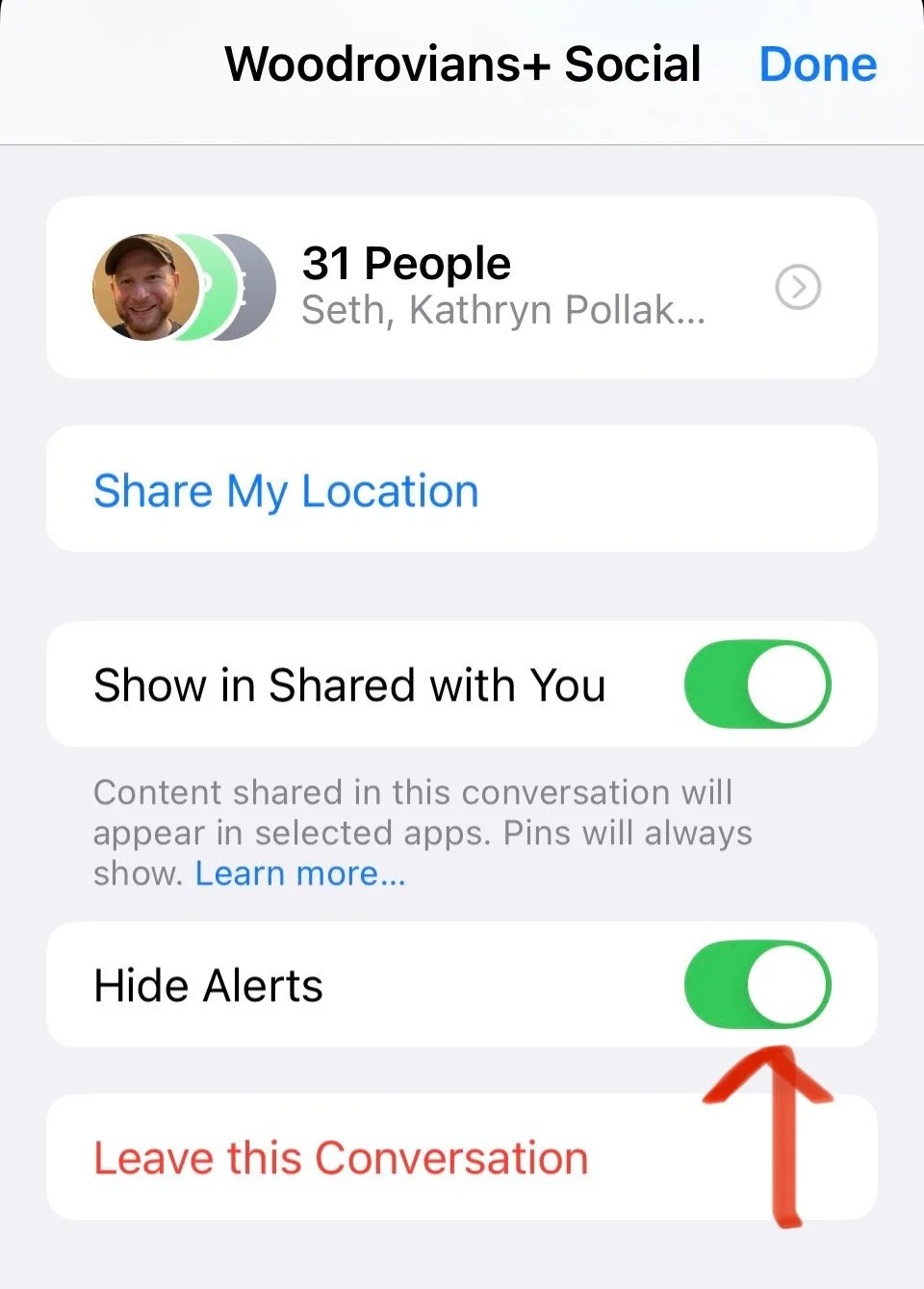
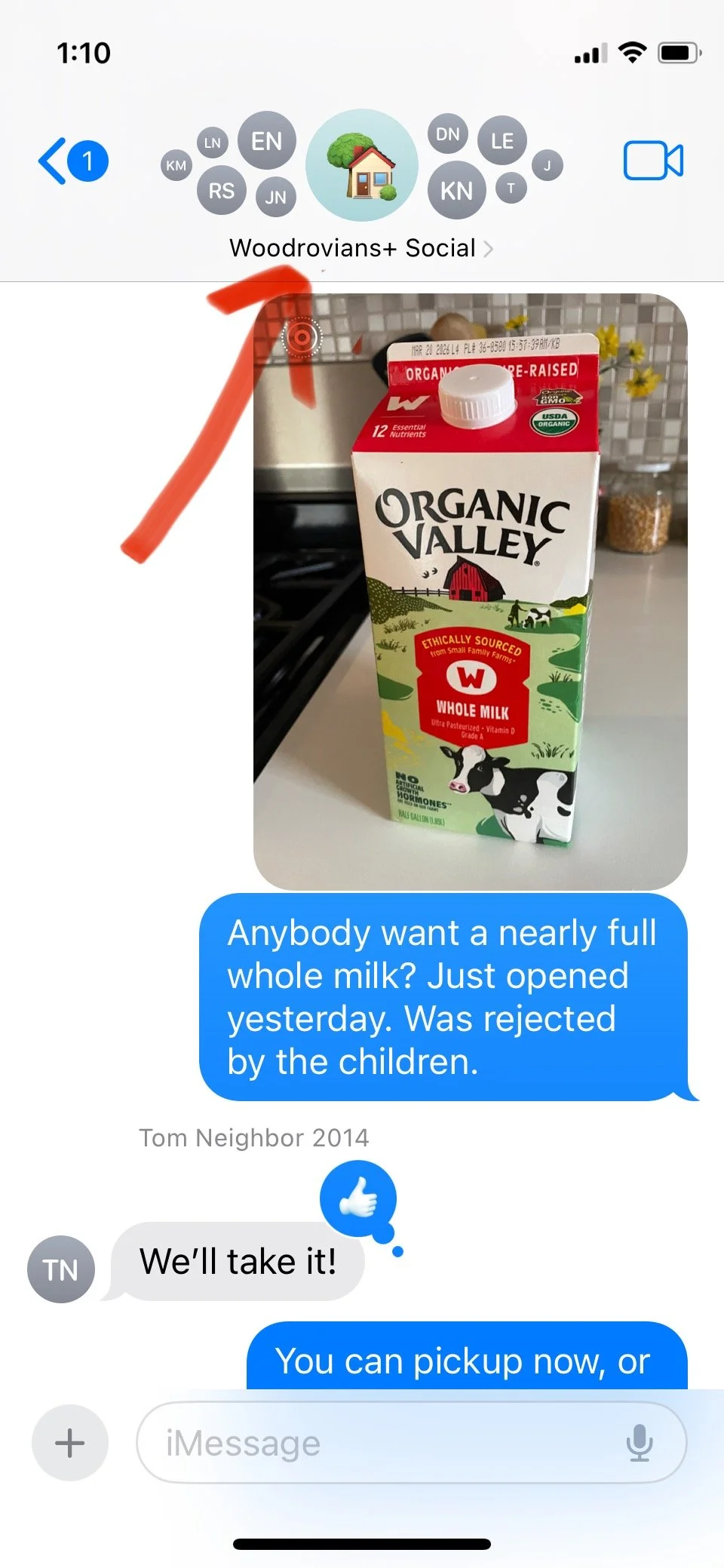
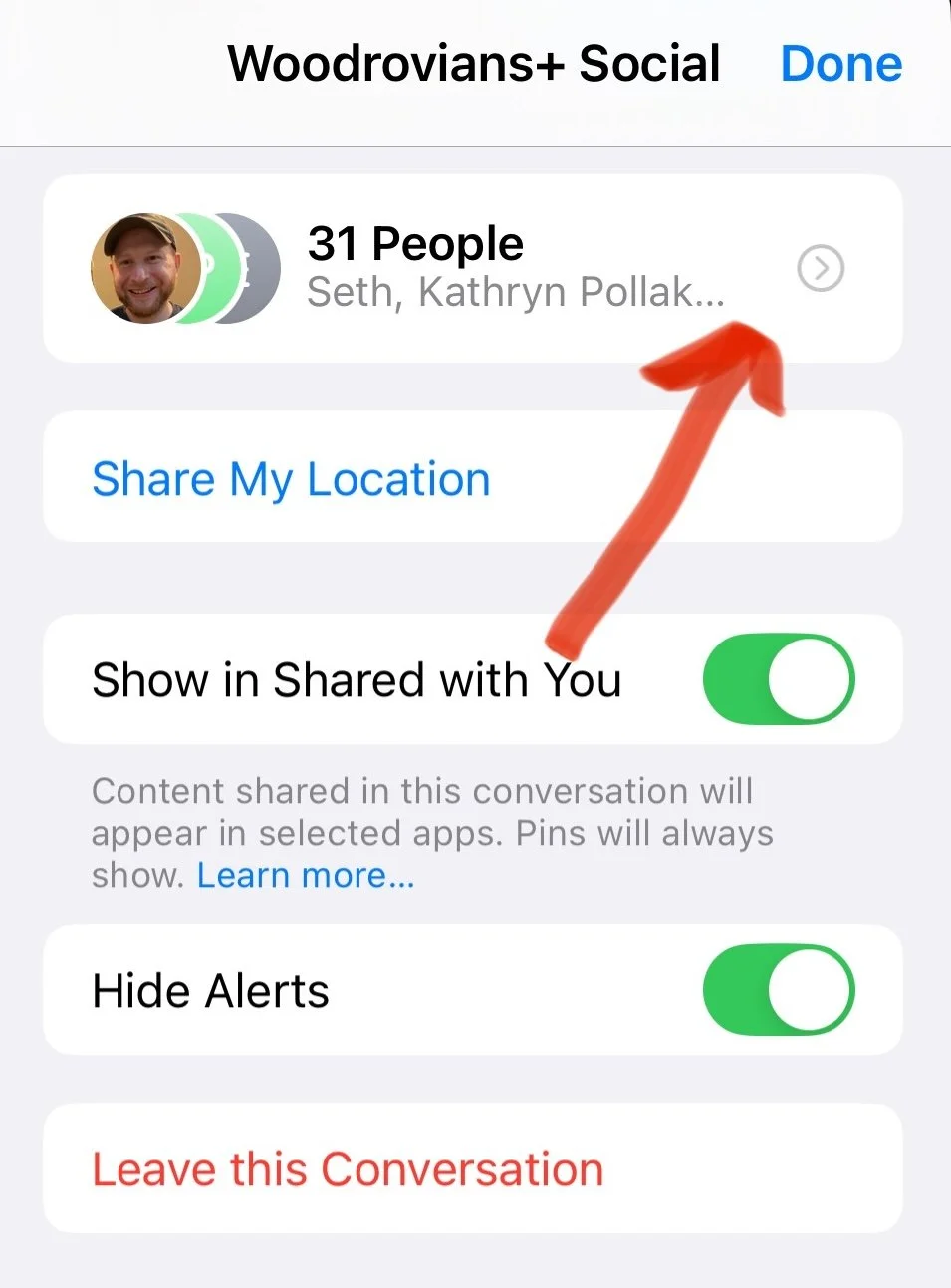
Click the top of the text change, scroll down to the tab with the number of people in the chain and click it. Scroll down to the bottom of the participants list and click “add contact.”
How to mute notifications
Let people on the text chain know that they can mute it! That way the chain won’t ring their phone for each message, but they’ll still be able to check what everyone is saying when they feel like it. It can get a bit noisy when there’s a conversation going!
Click the top of the text chain. On the page for that text chain, scroll down to “hide alerts.”
Can also leave the text chain in this same menu
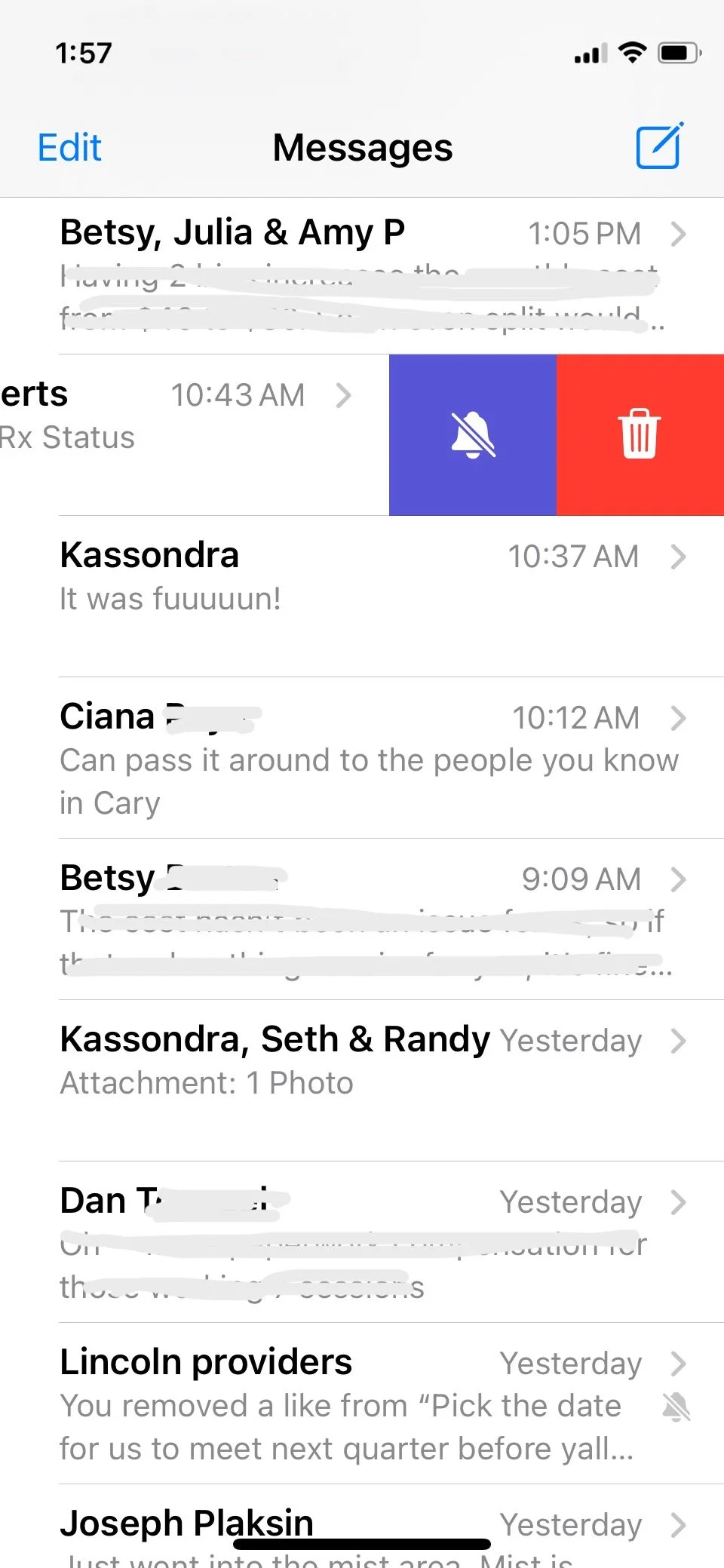
OR you can just swipe left on the chat, and click the blue mute button